What Are Steps in AI Image Generation?
18
147
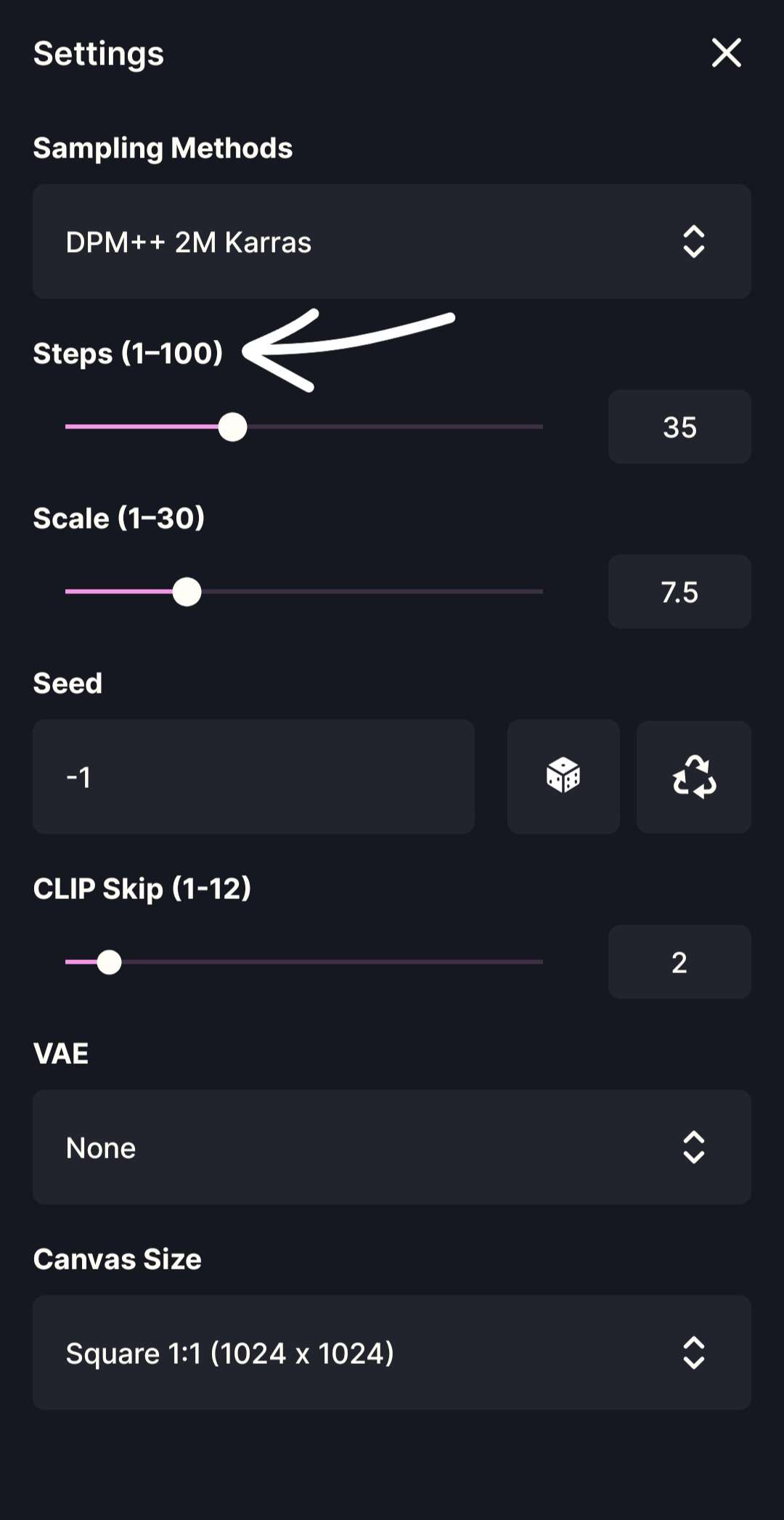
What Are Steps in AI Image Generation? Steps control how many calculation rounds the AI uses to generate an image. In simple terms:
- Low Steps → faster, rougher images
- High Steps → slower, more refined images Steps do not create new details.They allow the AI more time to refine the image it is already forming. ****_********___ A Simple Way to Understand Steps Think of Steps as how long the AI is allowed to work.
- Few Steps → quick sketch
- More Steps → refined drawing Steps decide when the AI stops improving the image. ****_********___ How Steps Work (Beginner Explanation) AI image generation starts with visual noise and slowly turns it into a picture. Each step:
- Removes noise
- Refines shapes
- Improves lighting and texture
- Stabilizes details like faces and hands More steps mean more refinement—but only up to a point. ****_********___ Steps Ranges Explained Low Steps (10–20) What you will see
- Fast generation
- Softer or unfinished results
- Less stable anatomy Best for
- Testing prompts
- Quick previews
- Early experiments ****_********___ Medium Steps (20–30) What you will see
- Clear details
- Balanced sharpness
- Stable anatomy
- Natural lighting Best for
- Most models and LoRAs
- Character art
- Painterly and emotional scenes This range works well for most users and most samplers. ****_********___ High Steps (35–60+) What you will see
- Slower generation
- Very refined details
- Reduced noise Possible downsides
- Overprocessed textures
- Plastic-looking skin
- Little improvement after a point High Steps should be used only when needed. ****_********___ Sampling Methods and Steps (Important for Beginners) Not all Sampling Methods behave the same. Some samplers:
- Converge quickly
- Produce good results with fewer Steps Others:
- Improve more gradually
- Require higher Steps to fully resolve details General rule (simplified)
- Fast samplers → work well with fewer Steps
- Slower, more precise samplers → need more Steps If a sampler stops improving early, extra Steps do nothing.If a sampler improves slowly, low Steps can leave images unfinished. This is why the same Step value can look different depending on the sampler. ****_********___ Practical Beginner Advice If your image looks:
- Blurry or unfinished → increase Steps
- Overprocessed → reduce Steps
- Unchanged after many Steps → your sampler has already converged If you switch Sampling Methods and suddenly images look worse, adjust Steps first before changing anything else. ****_********___ Recommended Steps Settings For most setups: Steps: 20–30 For samplers that refine more slowly: Steps: 30–40 Start at 25 Steps, then adjust based on the sampler you use. ****_********___ How Steps and Scale Work Together
- Scale controls how strongly the prompt is followed
- Steps control how long the AI refines the image Balanced settings usually work best:
- Scale: 7–9
- Steps: 20–30 (or higher if your sampler needs it) ****_********___ Common Beginner Mistakes
- Using very high Steps with fast samplers
- Assuming all samplers need the same Steps
- Using high Steps to fix prompt or Scale issues Steps refine—they do not correct mistakes. ****_********___ Final Takeaway Steps control how much time the AI spends finishing the image. Some Sampling Methods need more Steps to reach full quality. Understanding this relationship helps beginners:
- Avoid blurry images
- Avoid wasted generation time
- Get consistent results across different samplers Once you understand Steps and samplers together, image quality becomes far more predictable and controllable.____ What Are Sampling Methods? What Are Steps? What Is Scale (CFG)?