
Dear Moescaper, Your post is being reviewed and will be published soon. Thank you for your patience! Team, Moescape.
0
🍑🍰🍉🐰...
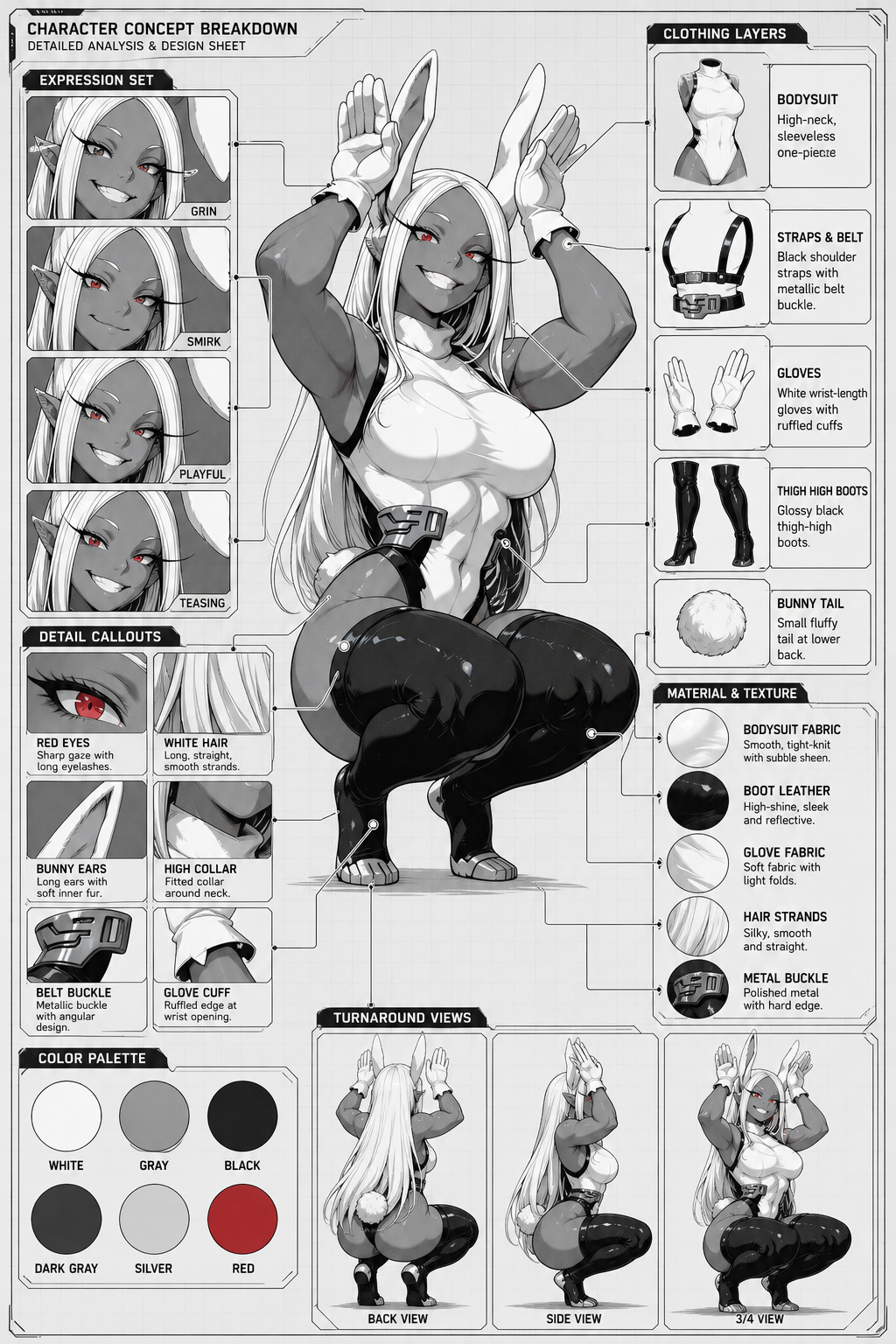
Prompt: Generate a comprehensive character concept breakdown infographic from the input image. Preserve the input character's exact face, hair, and outfit. The image must feature the full-body character design at the center, acting as the parent node, connected via clearly drawn indicator lines to surrounding deconstructed elements.
Critical rule: only depict elements that are visible in the input image. Do NOT invent items, accessories, possessions, or biographical details (no name, no birthday, no personality traits, no likes/dislikes).
Visual Specifications:
- Composition & Linkage:
- Central Hub: Place the character's full-body pose in the center.
- Data Visualization: Arrange the surrounding elements (clothes, expressions, details) like a technical analysis chart or model sheet.
- Explicit Connection: MUST use clear, high-contrast indicator lines or arrows connecting the specific body part/item on the central character to its corresponding detailed close-up or label.
- Deconstruction with Labels:
- Clothing Layers: Break down each visible outfit piece. Add a text label box next to each piece identifying the item with a 1-line description.
- Expression Set: 3-4 headshots in corners. Each preserves the exact face and hair from the input. Label them with emotion names.
- Material & Texture: Zoom-in circles for each major visible material (hair, fabric, leather) with 1-line texture description.
- Color Palette: 4-6 large circular swatches sampled directly from the input image. Label each with a single simple color name only (e.g., "AQUA", "NAVY", "WHITE") - do NOT include role labels like "SKIN" or "HAIR", and do NOT use hex codes.
- Pose Turnaround: 2-3 smaller recreations of the character in BACK VIEW, SIDE VIEW, and 3/4 VIEW. Stay faithful to the input's outfit, proportions, and pose energy.
- Detail Callouts: 4-6 close-up zoom panels on small visible accents (e.g., headband ribbon, hair clip, collar trim, button, ruffle edge, accessory in hand). Each panel is a labeled crop - no inventions.
- Style & Annotations:
- Title Header: A compact title strip at the top-left corner with "CHARACTER CONCEPT BREAKDOWN" as a small heading and "DETAILED ANALYSIS & DESIGN SHEET" as a smaller subtitle below it. Keep it small and unobtrusive, not a full-width bold banner.
- Art Style: Technical illustration mixed with high-quality anime style. UI design elements, HUD style layout.
- Text Annotations: Simulate clear typography labels (e.g., "JACKET", "HEADBAND", "FACE") pointing to each element. Avoid vague scribbles; aim for legible identifying text.
- Background: Clean, neutral schematic background (like graph paper or solid tech interface) to make the connection lines visible.
- No Filler Panels: Do not add any "Overall Notes", "Character Profile", or summary text panels - all space should go to the labeled visual elements above.
Execution Logic:
- Analyze visible features in the input image.
- Create a "Visual Map" linking the central figure to the deconstructed details.
- Ensure every surrounding element has a visible indicator line connecting back to its origin on the main character.
- Render all labels in English by default. If the user specifies a different language or any additional requirements below, follow those instead: Model: GPT Image 2 v1
Sampling Method
Sampling Steps
20
CFG Scale
0
Seed
784764411
Canvas Size
1024x1536